

1. The “Complete Sale” button is disabled or grayed out
If the button won’t let you complete the sale, DRX is protecting you from an invalid record. Check these four common speedbumps:- Are you charging Store Credit without an attached customer?
- You cannot charge store credit to an anonymous walk-in. If the customer is buying on credit or running a tab, tap Customer (Optional), search their alias, and attach them before selecting Credit.
- Is delivery enabled without an address?
- If you toggled on delivery, make sure you typed a destination address and entered a courier fee.
- Is the total still calculating?
- If you see a spinner saying Verifying prices, discounts, and tax…, DRX is double-checking bulk bundle tiers and tax rates with the cloud. Give it two seconds to lock in the final penny count.
- Is an item out of stock?
- If your store enforces strict inventory counts and another cashier just sold the last unit of that SKU, the cart will highlight the item in red so you don’t sell stock you don’t have.
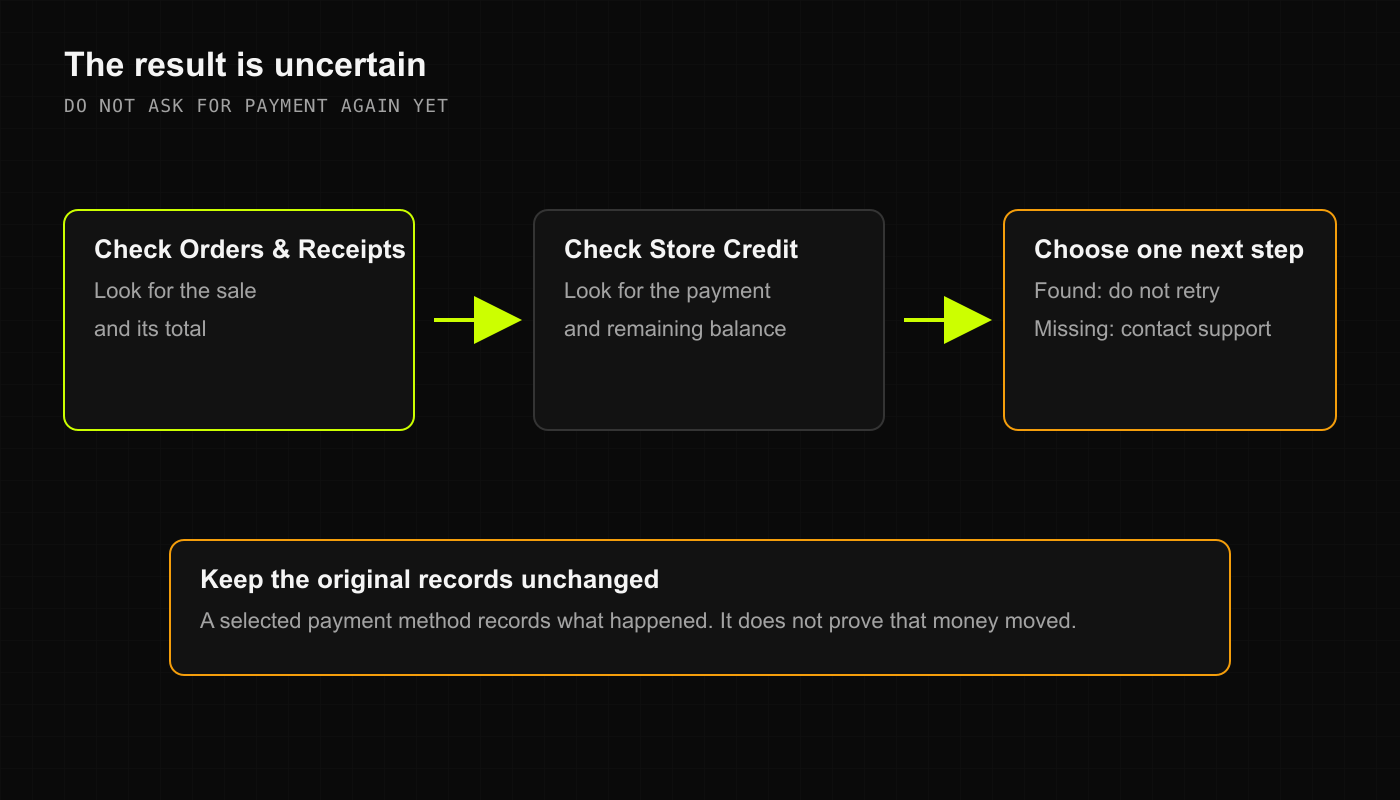
2. The result is uncertain (Did the sale go through?)
If your Wi-Fi hiccups right as you tap Complete Sale:- DO NOT immediately ring up the customer a second time!
- Open Sales in another tab or look at your recent order list:
- If the order appears at the top of the list with a new order number, the sale succeeded!
- Hand the customer their bag and receipt.
- If the order is NOT in Sales, check whether cash was handed over or if your card terminal printed an approved merchant receipt:
- If the card terminal approved the charge, re-open the cart, choose CARD, and tap Complete Sale once to sync the record.
- If the card terminal failed or timed out, run the card again on your physical terminal before completing the sale in DRX.
3. What if a printed receipt doesn’t spit out?
- Selecting PRINT tells DRX you want to print, but DRX doesn’t know if your receipt printer ran out of thermal paper, jammed, or got unplugged by someone’s foot under the counter!
- Check your receipt printer’s power light and paper roll.
- Don’t repeat the checkout to print another receipt. Open Sales, click on the order under Recent Orders, and view or reprint the itemized receipt directly from the order details screen.