

How to get help without exposing customer privacy
Whenever you hit a snag—whether an inventory intake won’t calculate properly or a card terminal feels sluggish—send an email directly to support@deelrxcrm.com. To help us fix your issue in record time without playing twenty questions, include:- The hardware & platform: Are you on the Desktop Web app on Chrome, the native iOS app on an iPad register, or Android / Mobile Web on an inventory handheld?
- The screen and action: Exactly where were you standing? (e.g., “Scanning a 10-pack of gummies into the cart at the checkout register”).
- The unexpected result: Did an error message pop up? Did the drawer refuse to open?
- Approximate time: Knowing whether it happened five minutes ago or yesterday afternoon helps us pinpoint the exact transaction record.
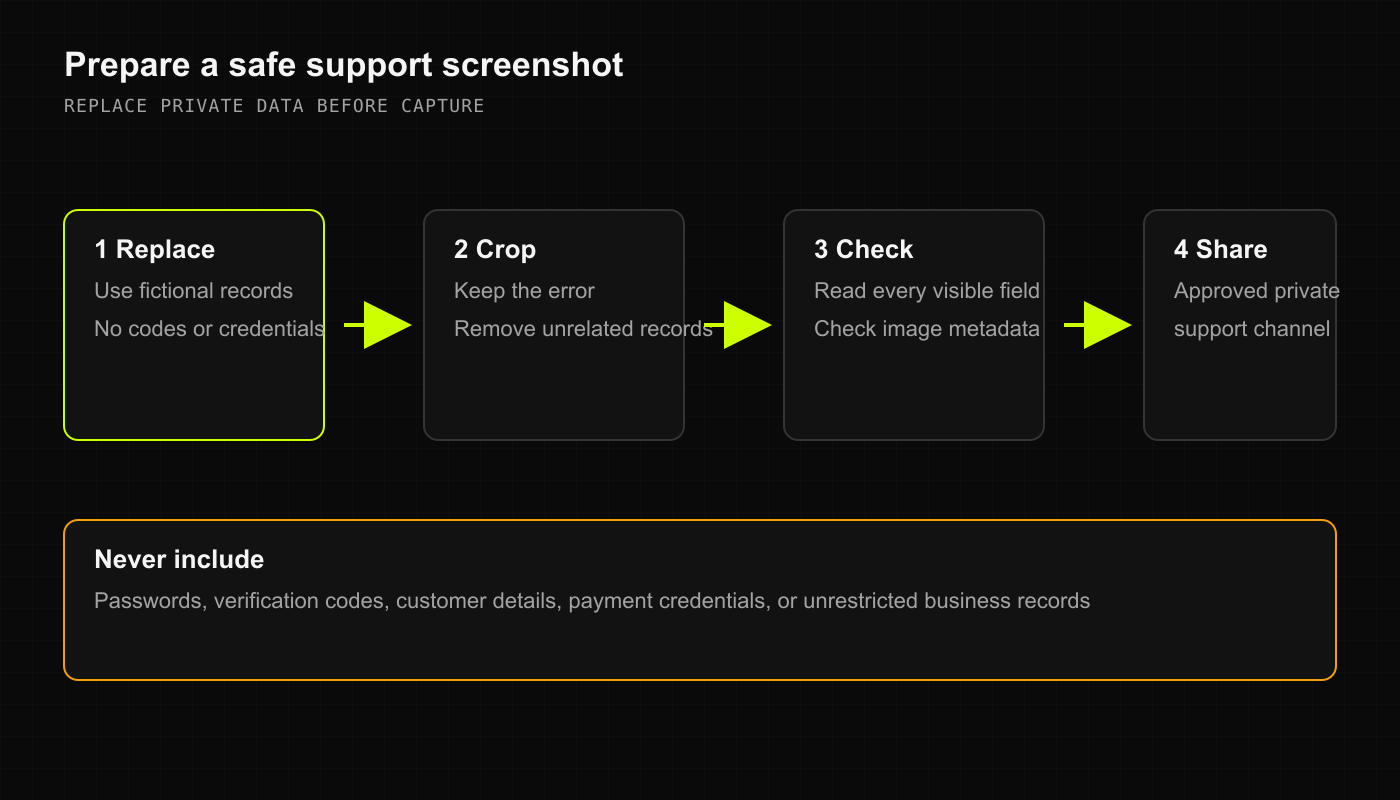
Safe screenshot rules
A screenshot is worth a thousand words, but it can also accidentally broadcast a customer’s phone number or credit balance to the world if you aren’t careful. Before attaching an image:- Crop tightly: Capture only the error banner or the cart total, leaving out customer names and phone numbers.
- Redact private details: Scribble over or blur customer identifiers, addresses, and notes.
- Never share passwords or payment details: Our team will never ask for your account password, PIN, or full credit card numbers.
Getting help across your platforms
- Desktop Web
- Native iOS (SwiftUI)
- Android & Mobile Web
- Access your store console at your provided web address.
- If you hit a display glitch, try a hard refresh (
Ctrl + Shift + RorCmd + Shift + R). - Use the in-app help link or email support@deelrxcrm.com directly.
Platform availability & early access
DRX is continuously expanding across modern retail environments:- Desktop Web: Full feature set available for all active operators.
- Native iOS (iPad & iPhone): Native SwiftUI register and management app available through verified early-access distribution.
- Android & Mobile Web: High-speed mobile register and floor management available via mobile browser and progressive web app.