

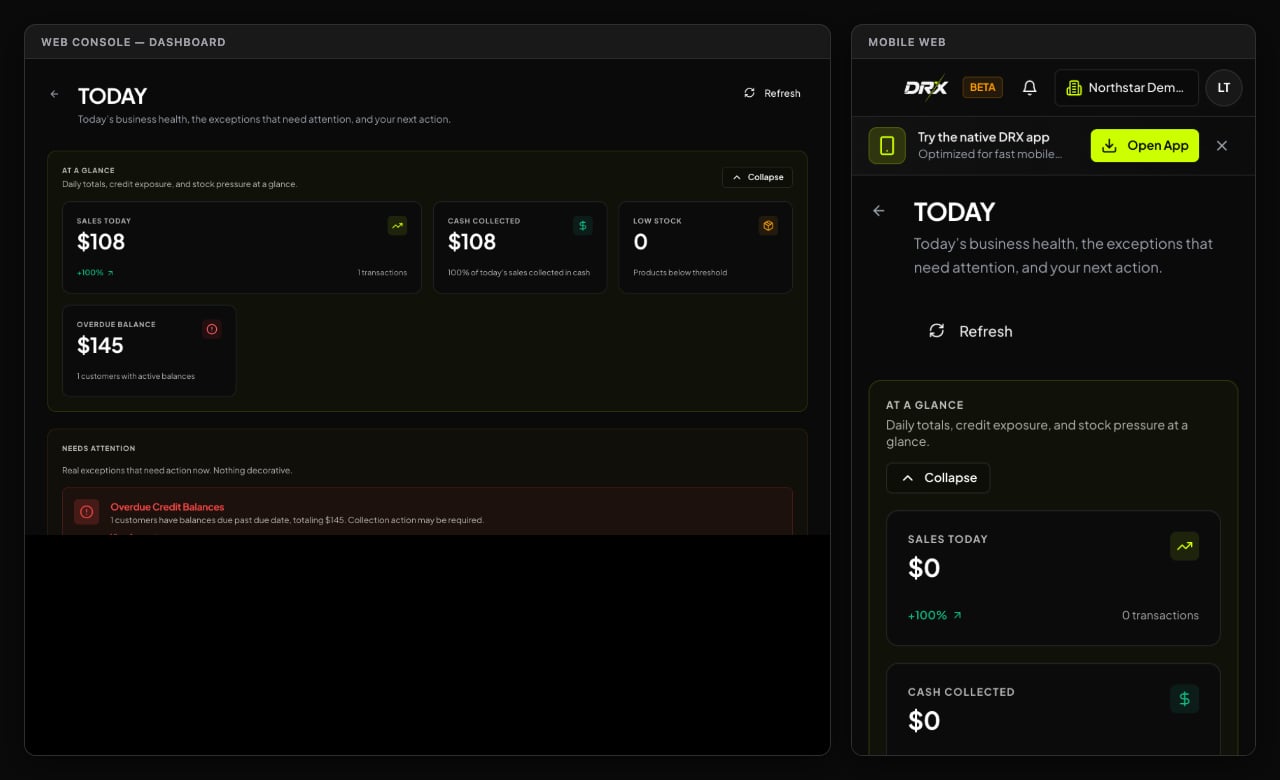
1. Did you check the date window and store workspace?
The number one culprit behind “missing” sales is simply looking at the wrong date or the wrong store!On Desktop Web
- Look at the top-left corner of your screen. Are you in the right store workspace? If you manage two locations, make sure you aren’t looking at yesterday’s slower store!
- In Reports, check the Window: dropdown. If it’s set to “Yesterday” or a past week, today’s sales won’t show up. Set it to Today.
- Open Sales in the sidebar. Scroll through the order list—if your recent sales are sitting right there with order numbers and green timestamps, your data is safe and sound!
On iPhone (Native iOS App)
- Check the store badge at the top of your screen. If you have multiple stores, tap the badge to ensure you’re on the active location.
- Web, Android, and iOS summaries use the active business’s timezone. Confirm the selected business and day before comparing totals, then pull down on the Dashboard to refresh.
- Tap POS and check the top right icon to confirm your register has a solid cloud connection.
On Android & Mobile Web
- If you were ringing up customers with spotty Wi-Fi, your register may have stored transactions locally. Check your connection indicator.
- Once your device re-establishes internet access, the register automatically syncs pending sales to the cloud, and your daily totals will update immediately.
2. Comparing sales and cash sales
Remember: Total Sales, Cash Sales, and Gross Profit are different numbers.- Total Sales: The retail value of everything rung up through checkout (including items bought on store credit tabs).
- Cash Sales: Cash tenders recorded for completed sales. This is not a cash-drawer balance or reconciliation; store-credit sales do not count as cash sales.
- Gross Profit: Revenue less cost of goods sold and applicable delivery costs. DRX shows profit only when underlying cost allocation is complete; otherwise the report marks it unavailable.
- Tax and subtotal: The tax and pre-tax subtotal recorded for completed sales in the selected business-local day.
3. What if a report export fails to download?
If you click Export reconciliation CSV on web and nothing happens:- Check your browser’s download permissions—sometimes pop-up blockers stop CSV downloads in their tracks.
- Make sure you haven’t been signed out due to inactivity. Give the page a quick refresh, sign back in, and click export again.
- If an export still refuses to cooperate, drop an email to DRX support and we’ll help get your numbers sorted out.